



Drawers drive how OpenSeadragon renders on the viewport. Making a custom drawer is no simple task and takes enormous effort, time and OpenSeadragon API knowledge. Think twice whether you really need to develop one. A good idea is to start from an existing implementation, if the answer was 'yes'.
By registering a DrawerBase instance on the OSD namespace, you register a drawer of type getType(),
which can be used like so:
    const viewer = OpenSeadragon(
        ...
        drawer: 'my-awesome-drawer',
        drawerOptions: {
            'my-awesome-drawer': {
                myCustomFlag: true
            }
        }
    );
Using options object is optional.
Now to the API implementation: comments in the code show how to use different parts of the API.
Note that defaultOptions define default values for our custom options.
Already existing, pre-defined options are from the DrawerBase class and will be explained later.
OpenSeadragon.MyAwesomeDrawer = class MyAwesomeDrawer extends DrawerBase {
    constructor(options) {
        super(options);

        // here, you can use custom options, prefer usage of this.options (already
        // extended with defaults)
        console.log(this.options.myCustomFlag);
    }

    /**
     * These options are at your disposal. You can define
     * new parameters the users can later override using the viewer options - `drawerOptions`.
     */
    get defaultOptions() {
        return {
            // Configure defaults
            myCustomFlag: false,
            // Inherited:
            usePrivateCache: false,
            preloadCache: true,
            // ... see the OpenSeadragon.BaseDrawerOptions type
        };
    }

    getType() {
        return 'my-awesome-drawer';
    }

    /**
     * Retrieve data types
     * @abstract
     * @return {string[]}
     */
    getSupportedDataFormats() {
        // Return an array of strings, types of data supported by the drawer. See data types
        // tutorial if you don't know what we are talking about.
        return ["A", "B"];  // Note. The data formats must be defined and valid!
                            // This is just for the sake of the example.
    }

    /**
     * Retrieve required data formats the data must be converted to.
     * This list MUST BE A VALID SUBSET OF getSupportedDataFormats()
     * @abstract
     * @return {string[]}
     */
    getRequiredDataFormats() {
        // We can return a subset of supported formats, to force the system to convert preferably
        // to this subset. supported can be ["A", "B"], and required ["B"]. The system will use A
        // or B when available, but upon data invalidation routine, the target format to finish
        // with will be B. You can for example call manually invalidation routine, and after
        // finish deprecate support for type 'A' (remove from getSupportedDataFormats output).
        return this.getSupportedDataFormats();
    }

    /**
     * @abstract
     * @returns {Boolean} Whether the drawer implementation is supported by the browser. Must be
     * overridden by extending classes.
     */
    static isSupported() {
        return true;  // check whether your libs / apis are supported by the current user's browser
    }

    /**
     * @abstract
     * @returns {Element} the element to draw into
     * @private
     */
    _createDrawingElement() {
        // Most animation graphics on web is done through canvas. But you can return anything, as
        // long as you can use it to render. This element will be accessible through ' this.canvas '
        // property. But it does not have to be a canvas, for example HTML drawer that positions
        // image objects by css returns 'div'.
        return document.createElement('canvas');
    }

    /**
     * @abstract
     * @param {Array} tiledImages - An array of TiledImages that are ready to be drawn.
     * @private
     */
    draw(tiledImages) {
        // TODO: use tiled image array to draw all tiles
    }

    /**
     * @abstract
     * @returns {Boolean} True if rotation is supported.
     */
    canRotate() {
        return false; // let's say we don't implement rotation
    }

    /**
     * @abstract
     * @param {Boolean} [imageSmoothingEnabled] - Whether or not the image is
     * drawn smoothly on the canvas; see imageSmoothingEnabled in
     * {@link OpenSeadragon.Options} for more explanation.
     */
    setImageSmoothingEnabled(imageSmoothingEnabled) {
        // TODO: switch between enabled (e.g. image data INTERPOLATION via linear or a
        // higher order function) and disabled - 'nearest' interpolation on the zooming
    }

    /**
     * @abstract
     */
    destroy() {
        super.destroy();   // like in C++, do not forget to call super destructor
        // This will free data on the canvas:
        this.canvas.width = 0;
        this.canvas.height = 0;
    }

    ...

}
The actual drawing logic implementation looks something like this:
    draw(tiledImages) {
        for (let tiledImage of tiledImages) {
            let tilesToDraw = tiledImage.getTilesToDraw();
            if (tilesToDraw.length === 0 || tiledImage.getOpacity() === 0) {
                return;
            }

            // Here, you might need to respect all the properties tiledImage and tiles have
            // (opacity, position, rotation if supported, etc...)

            for (let tile of tilesToDraw) {
                // Draw each tile. Do remember though, that tiles might overlap. See image below.
                const data = this.getDataToDraw(tile);
                if (!data) {
                    // If data not available, do nothing for the tile. It is probably a system bug
                    // or bad API usage, and the developer should already be notified elsewhere.
                    return;
                }

                // Now use the tile data. This data is guaranteed to be (from our example) of type 'A' or 'B'.
            }
        }
    }
The tiles you are trying to render for a single tiled image might look like this:
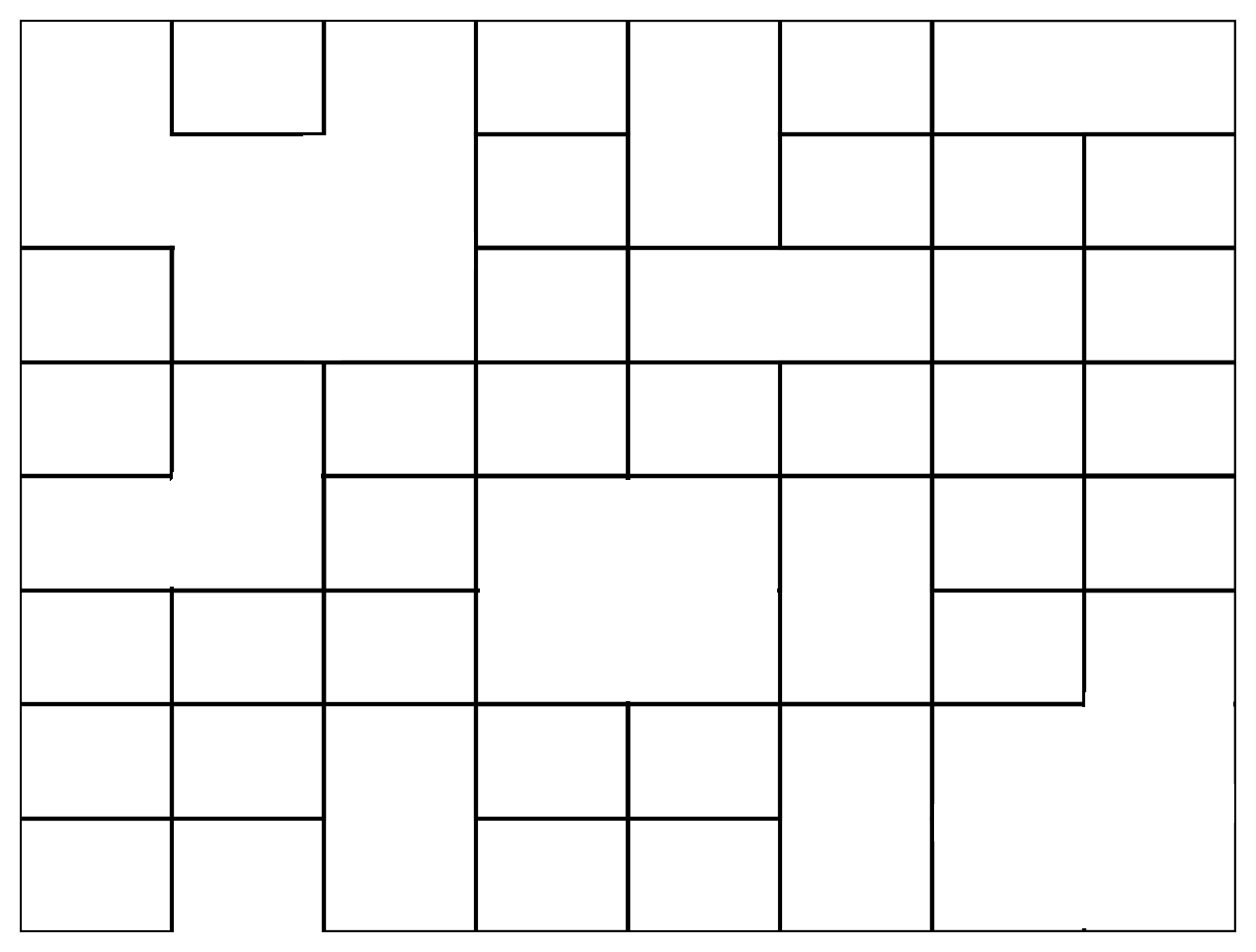
Somewhere, only level three is available, elsewhere higher resolution can already be available. You must use the painter's algorithm here, preferring the higher resolution data.
Handy feature might be this.id value which can be used for unique identifiers
for the drawing API (e.g. WebGL, WebGPU APIs).
Some APIs like WebGL need different formats of data than those available in the OSD data types. For example, WebGL wants a GLuint reference to the uploaded texture on a GPU, and the model tile positions for the vertex shader. Or, a reference to the underlying CPU data in case the data is tainted and we want to internally fallback to a different renderer. The reference is usually necessary just because we want to allow conversion back to other formats to allow third-party plugins to do their magic. We need to keep the type-conversion graph strongly connected.
All this is quite hard to fit inside data processing pipeline, while having the flexibility available a drawer needs. This is the time for internal cache. It needs to be properly configured for the usage:
    // These options are the default drawer options, used when user does not
    // override them in drawerOptions:
    get defaultOptions() {
        return {
            // When enabled, the internal cache API **MUST** be implemented
            usePrivateCache: true,
            // Support for async if true
            preloadCache: true,
            // these are the two main options, for other see the OpenSeadragon.BaseDrawerOptions type
        };
    }
The internal cache API looks simply like this:
    /**
     * If options.usePrivateCache is true, this method MUST RETURN the private cache content
     * @param {OpenSeadragon.CacheRecord} cache
     * @param {OpenSeadragon.Tile} tile
     * @return any
     */
    internalCacheCreate(cache, tile) {
        return { data: "this data will be available when rendering the tile" };
    }

    /**
     * It is possible to perform any necessary cleanup on internal cache, necessary if you
     * need to clean up some memory (e.g. destroy canvas by setting with & height to 0).
     * @param {*} data object returned by internalCacheCreate(...)
     */
    internalCacheFree(data) {
        // nothing to be done, strings do not need to be freed
    }
And the output value will be available in the drawing routine, i.e. this.getDataToDraw(tile);
returns { data: "this data will be available when rendering the tile" }.
Based on the preloadCache option, the conversion happens either immediately upon data invalidation routine
or after tile-loaded event (when true), or just before rendering (otherwise). That means
internalCacheCreate method cannot be asynchronous if preloadCache is disabled, since it needs to deliver data
for the rendering immediatelly.
If you need to re-validate all internal caches and re-initialize them, simply call this.setInternalCacheNeedsRefresh().
The effect will be immediate for preloadCache == false. You can otherwise request an invalidation event if you need
the change to be applied as soon as possible, but immediate change is not guaranteed (and probably will not happen).
Finally, you should also ensure the data is properly freed:
    destroy() {
        super.destroy();  // like in C++, do not forget to call super destructor
        ... do necessary cleanup ...

        // important if internal cache used!
        this.destroyInternalCache();
    }
and potentially, prevent users from overriding the cache configuration:
    constructor(options) {
        // Force cache configuration:
        super({...options, ...{usePrivateCache: true, preloadCache: true}});
    }